

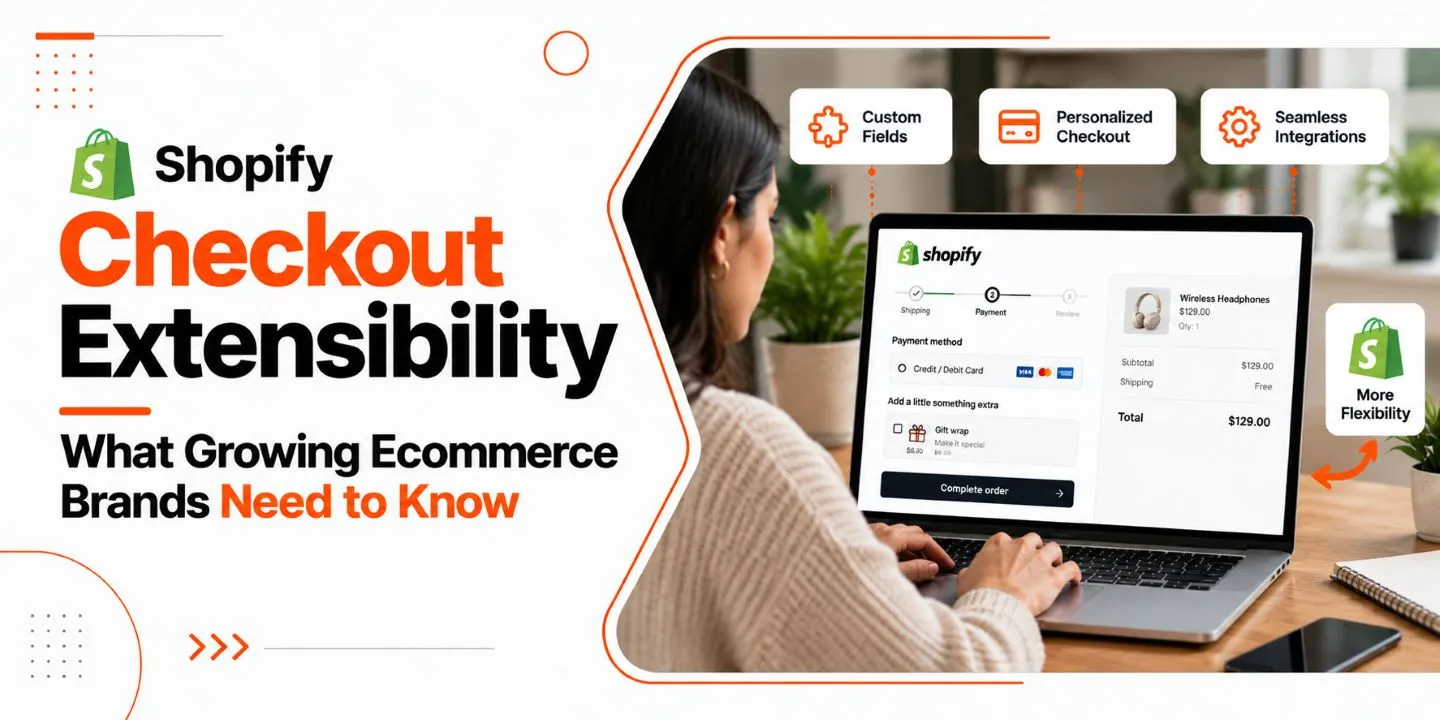
As an ecommerce company expands, its checkout experience becomes more critical. Buyers expect seamless and reliable shopping experience with a guarantee of their data safety, but merchants require flexible tools to meet business needs. Shopify Checkout Extensibility gives an opportunity to eligible Shopify stores to modify certain elements of checkout functionality via apps, extensions, and APIs instead of legacy checkout code.
For expanding ecommerce companies, knowing about it is necessary before making any modifications to the checkout or moving from custom checkout code to something new. This guide will explain Shopify Checkout Extensibility concept, its features, limitations in different plans, implementation procedure, and Shopify developer services.
What Is Shopify Checkout Extensibility?
Checkout extensibility by Shopify is a tool that enables customization of supported aspects of Shopify checkout via Shopify-approved extensions, applications, and APIs.
Rather than customizing checkout via outdated means, developers will be able to use Shopify-supported tools to customize checkout by adding desired functionality, showing relevant data, executing business logic where appropriate, and incorporating relevant applications.
For instance, a clothing brand that is growing can be interested in customizing checkout to show extra details about products, offer discounts according to specific criteria, and make checkout visually consistent with their storefront. Checkout extensibility offers supported ways to incorporate certain features depending on which feature and Shopify plan a store uses.
The greatest advantage of such tool lies in the fact that customizations are done using Shopify-supported tools, ensuring compatibility with the platform.
Why Has Shopify Introduced This Approach?
Typically, customization efforts in traditional checkouts have relied on having access to checkout templates/scripts. Such practices can become increasingly cumbersome when there is an introduction of new features by Shopify through updates to the checkout design.
The Checkout Extensibility solution provides a much more structured method where there are extension points and APIs that enable functionality development based on the supported customization paradigm of Shopify.
For growing businesses, this will ensure that maintenance in the future will be much simpler.
Key Features of Shopify Checkout Extensibility
Shopify Checkout Extensibility includes several technologies. Each serves a different purpose, so businesses should select the appropriate solution based on their requirements.
1. Checkout UI Extensions
Checkout UI extensions allow developers to add supported interface elements to specific areas of checkout and other eligible customer-facing pages.
Depending on the available extension points, businesses may use them to display helpful messages, provide additional information, or integrate relevant app functionality.
Potential use cases include:
- Displaying delivery-related information at a supported checkout location.
- Showing relevant product or order guidance.
- Presenting custom content through approved extension points.
- Adding supported functionality to the Thank you page.
These extensions operate within Shopify’s interface rules. They do not provide unrestricted access to the checkout page’s underlying code or allow developers to place arbitrary elements anywhere.
Important: Checkout UI extensions for the information, shipping, and payment steps are available to Shopify Plus stores. Availability for other extension types and pages varies by feature and plan.
2. Shopify Functions
Functions by Shopify are tools for customizing commerce operations via extension points provided in the Function API.
Depending on what a business wants to implement in terms of commerce operations, such as discounts, delivery options, payments, etc., a corresponding Function may be implemented to satisfy the requirement.
For instance, a business may need to create an operation related to applying a discount based on some cart conditions. It is possible to achieve the desired result by using a suitable Function without a checkout script.
Functions are not a panacea for all checkout problems; every Function API has its own limitations.
3. Checkout Branding and Visual Customization
Brand consistency is essential throughout the buyer’s journey. In cases where a store has good design elements but checkout doesn’t match, the entire experience will look incoherent.
Shopify offers checkout branding capabilities that provide opportunities to customize visual design elements like colors, logos, fonts, and many other design-related parameters.
These parameters enable companies to match their checkout experience with their current brand identity within Shopify’s design controls.
A Shopify website design company in India will help businesses maintain consistent visual experience across their storefront and checkout parameters within Shopify’s design limitations.
4. Custom Checkout Information
Certain companies require the provision of some extra information to be communicated to their customers prior to completing orders.
In light of the available extension points and the strategy employed, the right extensions can be used to provide content such as instructions about delivery, instructions about certain products, or other information that is pertinent to the matter.
For instance, a furniture store could use extension points to communicate the arrangement of delivery of bulky products. A skin care company could use certain extension points to communicate certain information to their consumers.
5. App Integrations and Supported APIs
Developing ecommerce companies usually rely on apps to perform actions such as giving discounts, arranging shipping, payment processes, communicating with customers, analytics, and many others.
The extension framework of Shopify allows for compatible apps to offer their services through available integration points. Custom apps and APIs can also be used by developers when needed.
Before choosing an app or starting the development of a custom app, merchants need to evaluate their compatibility, cost-effectiveness, and usefulness.
6. Post-Purchase Extensions
The customer journey is not completed immediately after making an order. Based on their eligibility and the particular implementation that is supported, merchants are able to implement extensions to some of the post-order processes or functionalities on the Thank You and Order Status pages.
These implementations are different from customizing the primary order info, shipping, and payment processes.
Some examples include showing post-purchase offers or collecting feedback from customers after placing an order. This will need to be done with the right extension implementation based on eligibility.
Why Growing Ecommerce Brands Need Checkout Extensibility
A checkout experience must support more than completing transactions. It should accommodate the business’s operational requirements while remaining understandable and convenient for customers.
A More Consistent Customer Experience
Consistent branding, clear messaging, and relevant checkout information can help customers understand the purchasing process.
Businesses can use supported branding settings and extensions to improve continuity between product discovery, cart review, checkout, and post-purchase communication.
Flexibility as Business Requirements Change
Growing brands may introduce new product categories, shipping arrangements, discount strategies, or third-party applications.
Supported extensions and APIs can help businesses address certain requirements without rebuilding the entire checkout experience for every change.
Easier Maintenance
Customizations built through supported Shopify mechanisms are designed to work within the platform’s extension framework.
This can reduce dependence on older checkout modifications that require separate maintenance. However, apps and custom extensions still need monitoring, testing, and updates as requirements evolve.
Better Opportunities to Reduce Checkout Friction
Unclear delivery information, confusing discount rules, or unnecessary steps can make checkout harder to complete.
Checkout customization can help address some of these problems when the solution is based on actual customer needs. Results should be evaluated through analytics and testing rather than assumed from the implementation alone.
Support for Long-Term Ecommerce Growth
As order volumes, product ranges, and operational complexity increase, checkout functionality may need to evolve.
A planned approach to extensions, integrations, and testing helps businesses make improvements without creating avoidable technical debt.
Shopify Checkout Extensibility vs. Legacy Checkout Customization
Shopify Checkout Extensibility differs from older customization methods in how developers add functionality and maintain compatibility with the platform.
| Comparison area | Shopify Checkout Extensibility | Legacy checkout customization |
| Customization method | Supported extensions, apps, and APIs | Older methods, including checkout.liquid where applicable |
| Feature access | Depends on the extension and plan | Depends on the legacy setup and Shopify’s current policies |
| Maintenance | Uses Shopify’s supported extension framework | May require additional migration or maintenance work |
| App integration | Uses compatible apps and supported extension points | Depends on the existing implementation |
| Platform updates | Designed to work within supported platform mechanisms | Older customizations may require migration |
| Future development | Can support structured, incremental improvements | May require redesigning functionality for supported alternatives |
The checkout.liquid template in Shopify has been deprecated for Information, Shipping, and Payment steps. The template is deprecated for the “Thank You” page and “Order Status” page as well, based on the timeline announced by Shopify.
Businesses using outdated customizations must perform an audit of the current configuration to determine what needs to be updated.
Is Shopify Checkout Extensibility Available on Every Shopify Plan?
No. This is determined by the customization being used, the type of extension, the API, and Shopify plan subscription.
Checkout UI extensions which alter information, shipping, and payments are available to Shopify Plus merchants. Shopify Functions are more widely available across supported APIs, even though certain functionalities will have their own limitations.
Some Thank you page and Order status page extensions are available outside of the Shopify Plus plan based on feature requirements.
Businesses must first determine before planning their project:
- The current Shopify plan being used by the store.
- If the needed extension is available on the chosen plan.
- If there is a public application available which will support the functionality they desire.
- If they need to build a custom app or development project.
- If any additional access or configuration is needed.
This will help them avoid investing in an extension that they will not be able to implement as planned.
How to Implement Shopify Checkout Extensibility
A structured implementation process helps reduce disruption and ensures that customizations support actual business needs.
Step 1: Audit the Existing Checkout
Begin with recording the current configuration of the checkout, applications used, scripts, discounts, shipping settings, payments, and post-checkout behavior.
Determine what customizations are still needed and what could be deleted or altered.
For stores with checkout customizations in older version of Shopify, check out Shopify’s resources for customization and migration.
Step 2: Map Requirements to Supported Features
List all the requirements of the business and identify the most appropriate solution.
An existing environment would be adequate for any change in branding. The existing application could suffice for a general integration; however, for a specific requirement, custom development might be required using an extension/API.
Ensure that your plan qualifies before making any commitments.
Step 3: Choose an App or Custom Development
Consider compatible applications depending on such factors as functionality, support, maintenance, cost, and integration.
Custom development would suit the business if it needs a certain workflow that the available apps do not provide.
One can seek the assistance of a Shopify development company in India to evaluate the options and decide on the best approach.
Step 4: Develop and Configure the Solution
Deploy the chosen customizations through the supported mechanisms provided by Shopify.
Developers must adhere to the appropriate technical requirements, such as the limitations on API usage, the interface rules, the data access permissions, and the performance aspects.
Do not implement any additional features just for the sake of technical ability.
Step 5: Test Critical Checkout Workflows
Test the modified experience prior to implementing any changes to customers.
Scenarios to test should include:
- Various products and total cart amounts.
- Use of discount codes and automated discounts.
- Shipping options and shipping conditions.
- Payment methods available.
- Mobile and desktop versions of the site.
- Integration with apps and corresponding scenarios with errors.
- Purchase confirmation and post-purchase experiences.
It is important to verify that both the customized and standard purchase experience function properly.
Step 6: Monitor Performance After Launch
After deployment, track the performance of factors like the success of checkout, abandoned checkouts, failure of payments, support tickets, and others.
Benchmark the performance against an appropriate benchmark and explain any discrepancies. The insights should be used for guiding future development efforts rather than making every change to increase conversion rates.
Common Shopify Checkout Extensibility Mistakes to Avoid
Assuming Every Feature Works on Every Plan
Different extensions and APIs have different eligibility requirements. Verify the specific functionality before planning the project.
Treating Checkout as Fully Customizable Code
Checkout Extensibility provides supported extension points, not unrestricted access to the entire checkout interface. Design the solution around what Shopify permits.
Installing Too Many Apps
Unnecessary apps can increase costs and make store management more complicated. Review whether each app provides meaningful value and whether its functionality overlaps with existing tools.
Ignoring Mobile Usability
Many customers shop using mobile devices. Test readability, layout, and the overall checkout experience on smaller screens.
Migrating Without Documenting Existing Features
A legacy checkout may contain important business logic that is not immediately visible. Document the current setup before replacing it to avoid losing essential functionality.
Skipping Testing and Monitoring
Even well-designed customizations can introduce unexpected issues. Test critical workflows before launch and monitor results afterward.
Expecting Guaranteed Conversion Improvements
Checkout customization alone does not guarantee higher conversion rates. Product pricing, shipping costs, trust, payment options, website performance, and customer intent also influence purchasing decisions.
How 9eCommerce Can Help With Shopify Development
The implementation of check out updates may require more than just installing an extension. The business might be required to analyze its current store structure, review applications, implement third-party solutions, and plan further development.
9eCommerce offers Shopify solutions in store development, theme modification, app development, API integration, migration, performance tuning, and maintenance services.
Based on the project needs and feature compatibility with Shopify, professional support will assist businesses in:
- Analyzing their current Shopify store functionality and requirements for customization.
- Planning migration from outdated checkout processes.
- Reviewing relevant apps and integration methods.
- Creating custom Shopify solutions in case of compatibility.
- Improving storefront UI/UX.
- Testing modifications and maintaining the store.
Businesses seeking a Shopify development service in India should consider the technical competence, communication strategy, testing process, and support terms of the provider.
When you have to find either an integrator or a shopify web developer in India for a particular integration or need a shopify development agency in India for a growing ecommerce business, first set your needs and then choose the right partner.
Similarly, for businesses that need a redesign of their storefront, they may need a shopify website designer in India who knows how important it is to consider the connection between the user interface, branding, and checkout process.
9eCommerce can help businesses learn about Shopify development solutions according to their store needs.
Conclusion
Extensibility of Shopify Checkout provides a systematic approach to extending supported components of the checkout process for qualifying ecommerce companies through extensions, apps, and API calls. This represents an opportunity for growing brands to enhance their branding and workflows as well as to migrate from outdated customizations of the checkout process.
Sustainable implementation presupposes the analysis of the limitations of the current plan, audit of the functionality of the company’s Shopify store, selection of appropriate solutions, and testing all relevant purchasing workflows.
Should your company be thinking about improving the checkout process, migrating from legacy customizations, or growing your Shopify store, we can assist in analyzing the available development possibilities for your needs.
Frequently Asked Questions
1. What is Shopify Checkout Extensibility?
Shopify Checkout Extensibility is a framework for customizing supported checkout experiences through apps, UI extensions, and APIs. It helps merchants add eligible functionality while working within Shopify’s supported technical and design requirements.
2. Is Shopify Checkout Extensibility available on all Shopify plans?
Not every feature is available on every plan. Checkout UI extensions for information, shipping, and payment steps require Shopify Plus, while some other extensions and Shopify Functions have broader availability.
3. What is the difference between Checkout Extensibility and checkout.liquid?
Checkout Extensibility uses supported apps, extensions, and APIs, while checkout.liquid was an older customization method. Shopify has deprecated it for the main checkout steps and sunset its use on specified post-purchase pages.
4. Can Shopify Checkout Extensibility improve checkout conversions?
It can help address checkout friction through clearer information, supported customization, and better-integrated workflows. However, conversion improvements are not guaranteed and should be measured using analytics, customer behavior, and testing.
5. Do I need a developer to customize Shopify checkout?
Not always. Some branding and configuration changes can be managed through Shopify’s available settings. More complex integrations, custom extensions, or specialized business logic may require an experienced Shopify developer.
6. How can a business migrate from legacy checkout customizations?
Start by auditing existing checkout functionality and documenting business requirements. Then map each customization to a supported app, extension, or API, verify plan eligibility, test critical workflows, and monitor the updated experience after launch.
7. How can a Shopify development company in India help with checkout customization?
A Shopify development company in India can assess checkout requirements, recommend compatible apps, plan migrations, build supported custom functionality, and test integrations. Choose a provider based on relevant experience, technical capabilities, and ongoing support.
